

Prerequisites
Before you begin this tutorial, make sure you have:- Integrated the necessary components to capture viewership data. Detail here.
- Viewed videos via (1) to collect data.
- Created an CORS-enabled API Key. The key must allow CORS access from your Grafana origin, or from all (*)
- Set up a Grafana account and workspace. A free account is sufficient and available at Grafana.com
Setting up the Engagement Dashboard
- Login to Grafana
- Click “Connections” > “Connect Data”
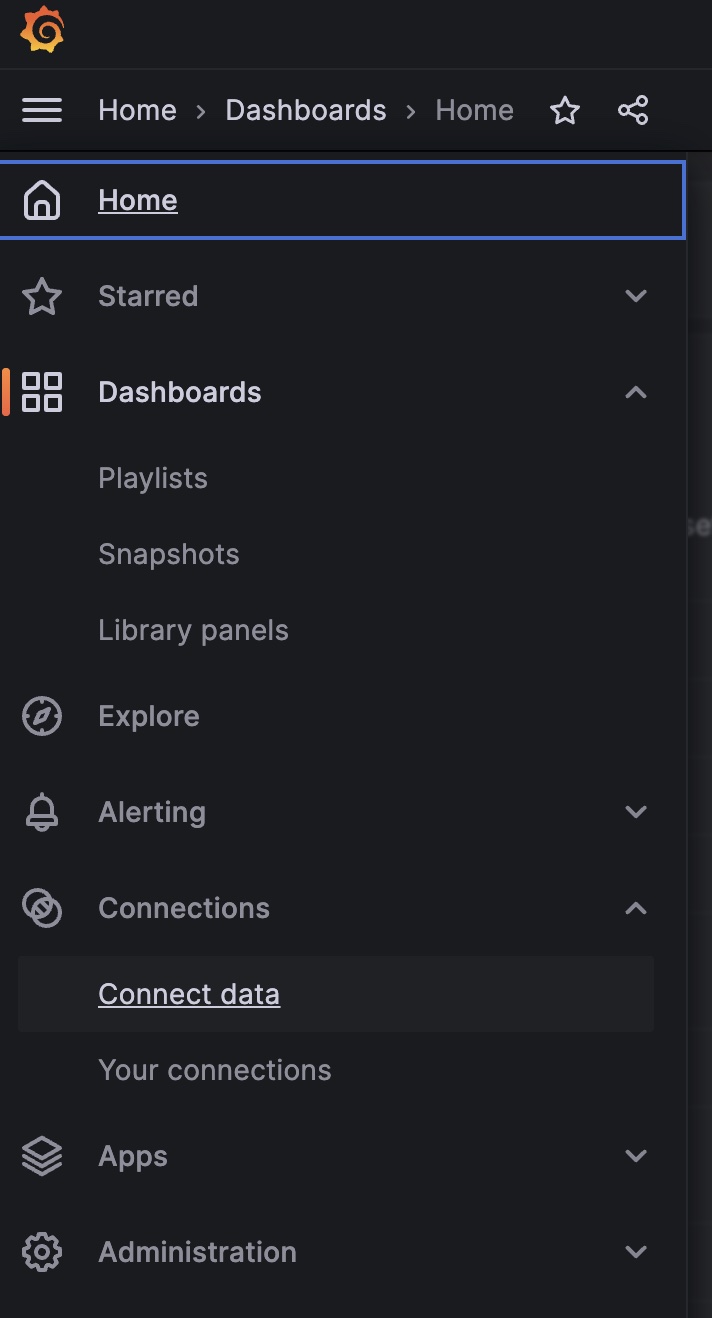
- Install “JSON Api” by either searching for it or using this url:
<your-grafana-url>/grafana/connections/datasources/marcusolsson-json-datasource - Set up your JSON Api:
- Name: e.g. “Engagement Data”
- URL:
https://livepeer.studio/api/data/views/query - Custom HTTP Headers
- Header: “Authorization”
- Value:
Bearer <your api key>
- Save and Test
- Get your data source’s
uidfrom the browser’s url, e.g.<your-grafana-url>/grafana/connections/your-connections/datasources/edit/<datasource-uid> - Copy and paste this uid into the json template
- json template available: here
- open in your favorite code editor
- ctrl+f
- search for
<data_uid> - replace with your data source uid
- “Import the Dashboard” using your formatted json file
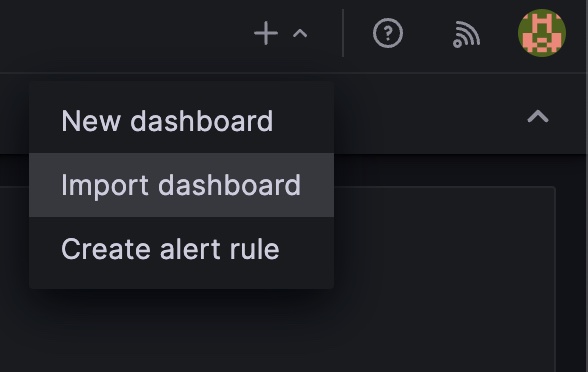
- Click “Upload Dashboard JSON File”
- Rename the dashboard if you’d prefer
- “Import”